
User's Manual

1/28/2015 LMU42x0Hardware&InstallationGuidePULSWiki
https://puls.calamp.com/wiki/LMU42x0_Hardware_%26_Installation_Guide 2/47
4.5.1ActivatingaCDMALMU42x0™–Verizon
4.5.2ActivatingaCDMALMU42x0™–Sprint
5InstallingtheLMU
5.1PreparingforInstallation
5.2PlanTheInstallation
5.2.1SizeandPlacementofLMUUnit
5.2.2PlacementofAntennas
5.2.3AccesstotheSIM(SubscriberIdentityModule)Card
5.2.4ProtectionfromHeat
5.2.5VisibilityofDiagnosticLEDs
5.2.6CableLength
5.2.7MoistureandWeatherProtection
5.2.8PreventingAccidentalorUnauthorizedModification
5.3InstallingtheLMUinaVehicle
5.3.1PlacetheLMUunitinthevehicle.
5.3.2Connectpower,ignition,andground.
5.3.3PlacetheGPSantenna.
5.3.4MounttheComm.Antenna.
5.3.5TypicalConnectionSequence
5.4InstallationVerification
5.4.1CommVerification
5.4.2GPSVerification
5.4.3InboundVerification
5.4.4VerificationviaSMS
6LicenseAgreement
7LimitedWarranty
8RegulatoryInformation
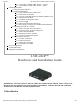
LMU42x0™
HardwareandInstallationGuide
IMPORTANT:DONOTINSTALLORUSETHESOFTWAREORDOCUMENTATIONUNTILYOU
HAVEREADANDAGREEDTOTHELICENSEAGREEMENTANDREVIEWEDTHELIMITED
WARRANTYANDREGULATORYINFORMATION.
1Introduction