
User manual

SEC-HD user manual Connecting equipment to your SEC-HD
13
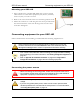
Mounting your SEC-HD
1. Select a location for your SEC-HD. Make sure you have enough
cable and wire to reach all the equipment (fans, heaters, actuators,
and so on) that you want to control.
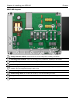
2. Remove the screws from the front cover and then gently lift it off.
3. Mount the enclosure to a wall using the four screws provided with
the control. Insert the screws into the large holes in each corner
of the box and tighten.
Connecting equipment to your SEC-HD
Follow all instructions when installing your SEC-HD and connecting equipment to it.
Use the electrical knockouts for bringing wires or cables into or out of your
control’s enclosure. Do not make additional holes in the enclosure; this can
damage the watertight seal or control components and void the warranty.
Your control’s test modes are useful for testing your equipment after installing
and configuring it. For more information, read Testing settings and equipment on
page 40.
Refer to Appendix D: Installation worksheet on page 55 and Appendix E:
Configuration worksheets on page 56 when installing equipment.
Connecting the power source
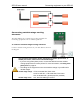
Before connecting the incoming power, switch OFF the power at the source.
Do not switch ON the power until you have finished all wiring and verified all
equipment is properly connected and free of obstructions.
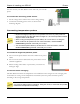
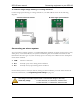
Before connecting the power, set the voltage selection switch to the correct
voltage.
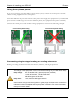
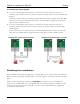
If you are using three-phase power, make sure the control power and the
variable speed fans are connected to the same phase. For more information,
read Using three-phase power on page 16.