
User's Manual

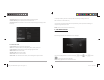




Table Of Contents

D2 PAD | 12
• Brightness: Adjust the brightness of the screen by dragging the slider bar left or right, then click OK.
You can also select automatic adjustment.
• Wallpaper: Change the background of the home screen by three (3) options. Refer back to section 1.2
Wallpapers for details.
• Auto-rotate screen: When you rotate the tablet, the screen changes direction automatically.
• Sleep: Adjust idle time before the screen locks.
• Font size: Set the size of the system font with four options: Small, Normal, Large, and Huge.
2.3 Personal
2.3.1 Accounts and Sync
When the device accesses applications, such as the calendar, it needs to log in with an ID to sync data
on your account with data on your D2 Pad.
• Account Synchronization: Touch the Account Sync switch to enable or disable
account synchronization.
• ADD ACCOUNT: Touch this option to add a new E-mail account, if necessary.
2.3.2 Location Services
Set your location and allow interactive options with Google.
D2 PAD | 9
• Tap the notification icons on the right side of the status bar, and then tap .
Tap an item on the left panel menu to display more setting options on the right panel.
2.1 Wi-Fi and Network
The Wi-Fi menu lets you manage Wi-Fi settings and connect to a wireless network.
Tap the Wi-Fi switch button to turn Wi-Fi on or off.
• The Wi-Fi icon displaying indicates Wi-Fi is turned off.
D2-711_911UserManual.indd Spread 11 of 12 - Pages(14, 11)D2-711_911UserManual.indd Spread 11 of 12 - Pages(14, 11) 9/20/2012 6:34:42 PM9/20/2012 6:34:42 PM