
User's Manual

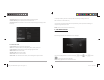


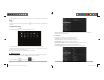
Table Of Contents

D2 PAD | 6
• Add application shortcuts: Long press an application icon from the application menu and drag the
icon to the home screen to add as shortcut.
• Remove application shortcuts: Long press an application icon in the home screen as the top of the
screen displays an “X”. Drag the application icon towards the “X” until it turns red, and then release the
hold to remove the application shortcut.
D2 PAD | 15
2.3.5 Backup and Reset
PERSONAL DATA
Factory data reset: Clear all data in the tablet PC and revert all settings to factory default.
2.4 System
2.4.1 Date and Time
Set the date, time, time zone and format.
• Automatic date & time: Use the time on the network; requires Internet access and system reboot to
take effect.
• Set date: Access date setting interface and set the date.
• Set time: Access time setting interfaces and set the time.
• Select time zone: Access time zone setting interface and set time zone.
• Use 24-hour format: Set display format of the time.
• Select date format: Display the date by selecting different date format.
2.4.2 Accessibility
SYSTEM
• Large text: Select the size of the system display font.
• Auto-rotate screen: Adjust the screen direction according to the G-sensor.
D2-711_911UserManual.indd Spread 8 of 12 - Pages(8, 17)D2-711_911UserManual.indd Spread 8 of 12 - Pages(8, 17) 9/20/2012 6:34:40 PM9/20/2012 6:34:40 PM