
User's Manual





D2-731G User Manual | 12
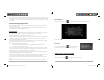
Click start button to take a picture.
Click to set white balance.
Video Mode
Click and change to video mode . Press the red button to record.
Click to access settings and set time lapse or change white balance.
Panorama Mode
Click and change to Panorama mode . Press the start button and turn slowly in
one direction.
3.2 Gallery
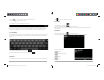
From your homescreen, click to view all pictures saved onto the tablet.
Click to display the pictures by Albums, Location, Time, People or Tags. Click to enter
camera mode.
D2-731G User Manual | 9
1.9 USB Connection (Connect between Tablet & Computer)
When connecting the tablet to your PC via the in-box USB cable, this icon will appear on the Top
left notification bar. Click on it, and then choose between Media device (MTP) or Camera (PTP) base on
the files you want to transfer between the tablet and your PC. The device of your tablet should then
appear on your PC under My Computer as “PRO”.
To disconnect your tablet from the PC, simply unplug the USB cable from your PC.
1.10 Accessories
Item
Function
Adapter, 5V / 2A
Provides power to the tablet by charging the battery
Micro USB Cable
Connects tablet to other USB-supported devices
User Manual
Assists the user in operation of the tablet
Chapter Two: Internet
2.1 Wi-Fi and Network
Network support is needed to use the web browser. If you experience any network problems, please
contact your wireless service provider.
D2-731GUserManual.indd Spread 11 of 12 - Pages(14, 11)D2-731GUserManual.indd Spread 11 of 12 - Pages(14, 11) 12/31/2013 10:36:06 AM12/31/2013 10:36:06 AM