
User's Manual





D2-731G User Manual | 4
These devices contain recyclable materials, which can be re-incorporated to new material after
decomposition. In contrast, other materials are classified as dangerous and toxic substances. We highly
recommend all users contact the relevant institutions based on the information we provide to recycle
this product.
Prevent Hearing Impairment
Caution: Permanent hearing loss may occur if earphones or headphones are used at high volume for
prolonged periods of time.
This device has been tested to comply with the Sound Pressure Level requirement laid down in the
applicable EN 50332-1 and/or EN 50332-2 standards.
Precautions
This manual contains important information regarding safety measures and proper use of the product.
To avoid accident, please be sure to read the manual carefully prior to use the product.
Keep the product away from high temperature, moisture or dust.
Do not expose the product to high temperature, especially in a window-closed vehicle during summer.
Avoid drop or strong collision of the product or heavy vibration of the TFT screen, as it may cause
damage or abnormal display of the TFT screen.
Please choose appropriate volume. It is not recommended to use earphones in high volume. If ringing
occurs in the ear, please lower the volume or stop using the device.
Please charge under the following circumstances:
A. The system automatically shuts down, and immediately shuts down again after restart.
B. The operating button does not respond.
Note: This product cannot be used with any unauthorized charger; otherwise it may burn the product,
which is not covered by warranty. For any additional original charger, please contact customer service.
The Lithium battery cells in the battery pack are not user serviceable.
When battery level is low, be sure to connect the power plug before formatting the Digital2™ tablet or
uploading/downloading applications to prevent system error.
Digital2™ shall not be held liable for any loss of data caused by damage or repair of the product or any
other reason. Please operate the product properly following the user manual’s guidelines.
Do not disassemble the product. Do not use alcohol, thinner or benzene to clean the surface of the
product.
Do not operate device where the use of electronic equipment is prohibited, such as on airplanes.
D2-731G User Manual | 17
3.8 Downloads
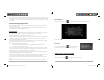
From your Application list, click to see all downloaded items and in-progress downloads.
Click the box next to an item, then click the trash can icon to delete its contents.
3.9 Clock
From your Application list, click to enter the clock interface.
Under the time and date, click Set alarm to add an alarm.
Chapter Four: System Settings
From your homescreen, click to enter the system settings interface.
D2-731GUserManual.indd Spread 6 of 12 - Pages(6, 19)D2-731GUserManual.indd Spread 6 of 12 - Pages(6, 19) 12/31/2013 10:36:04 AM12/31/2013 10:36:04 AM