
Technical data



5.2. Visual components of the LSC control system
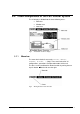
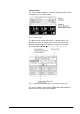
The LC display is divided into the three following areas:
• Menu bar
• Window area
• Status bar
Fig. 2 Presentation on the LC display
5.2.1. Menu bar
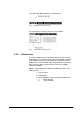
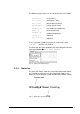
The menu bar includes 5 menu tabs: VALUES, MANUAL,
PROGRAM, OPTIONS, ? (Help). These menu tabs offer all
configurations, parameters and operation modes of the unit.
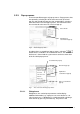
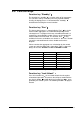
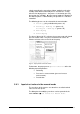
The focus can be positioned on the desired tab by turning the turn
& push button
to the left or to the right.
Fig. 3 Moving the focus in the menu bar
Operating Manual Freeze Dryer ALPHA 1-4 LSC / ALPHA 2-4 LSC LSC Control System • 41