
Technical data

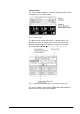
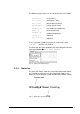


Press the button
to confirm the selected menu.
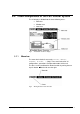
Fig. 4 Selected focus in the menu bar
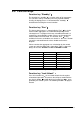
The system opens a pop-up menu or a new window.
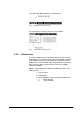
Fig. 5 Presentation of a pop-up menu
5.2.2. Window area
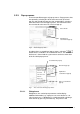
The main window covers the whole window area. Pop-up menus
or dialog boxes are shown in front of the main window so that the
main window is always in the background. Settings can only be
modified in the active window in the foreground. This means that
when a menu is open, the actual values in the main window
cannot be modified.
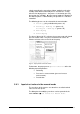
Below is a description of the different window types of the LSC
control system:
1. Pop-up menus
2. Dialog boxes
3. Main windows (covering the whole window area)
a. Mimic diagram
b. Values window
42 • LSC Control System Operating Manual Freeze Dryer ALPHA 1-4 LSC / ALPHA 2-4 LSC