
Technical data



5.2.3. Pop-up menus
There are two different types of pop-up menus: Pop-up menus that
are opened by selecting one of the main menu tabs (first-level
pop-up) and second-level pop-ups that are opened by selecting a
menu item from a first-level pop-up menu. The main menu tab is
also used to close the menu of a first-level pop-up.
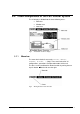
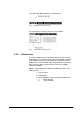
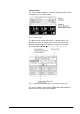
Fig. 6 First-level pop-up menu
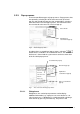
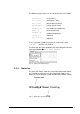
In order to close a second-level pop-up menu, select the
button which is available in all second-level menus. The second-
level menu is closed and the system returns to the last menu item
of the first-level pop-up menu.
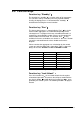
Fig. 7 First- and second-level pop-up menus
Close menu
Symbol for a
second-level pop-up
Symbol for
second-level pop-up
First-level pop-up
Second-level pop-up
Close second-level
pop-up
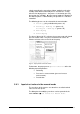
5.2.3.1. Dialog boxes
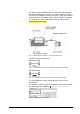
Dialog boxes are used to input parameters and to display
additional information (e.g. vapor pressure curve above ice, set
value changes etc.). A dialog box is usually opened by selecting a
menu item or by pressing a function key. The process and
Operating Manual Freeze Dryer ALPHA 1-4 LSC / ALPHA 2-4 LSC LSC Control System • 43