
Technical data

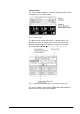


equipment information system is an exception since this dialog box
is opened automatically by the system.
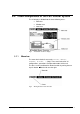
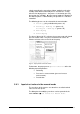
Fig. 8 Dialog box
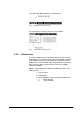
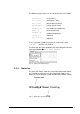
The following control elements are included in the dialog boxes:
• Button:
Buttons are used to confirm or to close a window.
• Scrollbar:
The scrollbar is used to enter higher-order parameters.
• Radio button:
A radio button is used to select a certain configuration.
• Parameter field:
All other fields that can be focused are used to enter
parameters, e.g. for set values, time constants, etc.
5.2.3.2. Main window
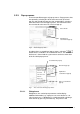
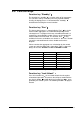
Mimic diagram
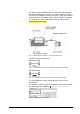
The mimic diagram shows the main process values, set values
and actual values.
The set values always refer to the pre-selected or active phase
(see status bar).
Fig. 9 Mimic diagram
44 • LSC Control System Operating Manual Freeze Dryer ALPHA 1-4 LSC / ALPHA 2-4 LSC