
Technical data



5.3. Function keys
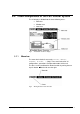
Function key “Standby”
The function key “Standby”
is used to switch off all aggregates.
This function is always available (from every opened window).
Usually, the drying process is finished with the “Standby”
function before starting the manual aeration.
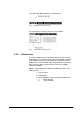
Function key “Run”
The freeze drying process is started with the “Run”
key. In the
manual mode, aggregates are switched on depending on the
selected phase. If a program has been selected beforehand, it is
started in the corresponding section. Phases are changed in the
manual mode in the RUN state. The function “Run”
is only
available if all menus or windows are closed, i.e. the “Run” function
can only be activated from the values window or the mimic
diagram.
Please note that the aggregates are switched on by the control
system one after the other with a short delay. Table 1 shows the
delays for the units ALPHA 1-4 LSC and ALPHA 2-4 LSC.
Time (sec.) Aggregate
ALPHA 1-4 0 Refrigeration unit 1
5 Vacuum pump
10 All other aggregates
ALPHA 2-4 0 Refrigeration unit 1
150 Refrigeration unit 2
155 Vacuum pump
160 All other aggregates
Table 1 Delay when switching on different aggregates
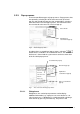
Function key “Lock/Unlock”
Press this function key
for 2 seconds to lock the unit against
unintentional operation. That means that all inputs made with the
turn & push button
and with the three function keys are
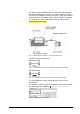
ignored by the control system. The following window is displayed
instead.
48 • LSC Control System Operating Manual Freeze Dryer ALPHA 1-4 LSC / ALPHA 2-4 LSC