
Technical data
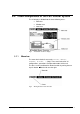
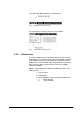
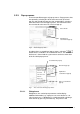

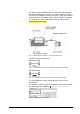
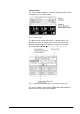
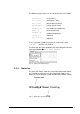
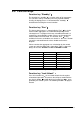

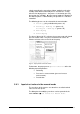

Fig. 18 Dialog box “Device locked!“
The control panel can be unlocked by pressing the function key
again for 2 seconds.
Function key “°C≙mbar”
This function key can be used to convert the temperature of the ice
condenser chamber or the vacuum in the drying chamber
according to the vapor pressure curve above ice by means of a
table. The conversion of the vapor pressure curve is necessary for
a better orientation and a better understanding of the correlation
between pressure and sample temperature during the freeze
drying process (see chapter 2.1). Please note that the conversion
table can only be opened if the mimic diagram, a values window or
one of the set values windows is shown. With open pop-up menus
or other dialog boxes, this function key is locked.
Fig. 19 Table for vapor pressure curve above ice
5.4. Manual mode
The manual mode enables the manual control of the process
phases: Freezing, freezing + warm-up of the vacuum pump, main
drying and final drying. In the manual mode, the set values for the
different phases have to be entered before the process start. Then
the phase has to be pre-selected. Press the function key “Run”
to start the process. When a phase is finished, the user has to
Operating Manual Freeze Dryer ALPHA 1-4 LSC / ALPHA 2-4 LSC LSC Control System • 49