
Technical data
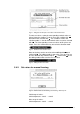

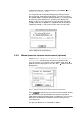

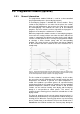
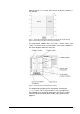
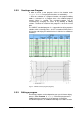

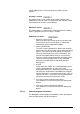
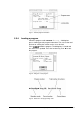

Fig. 21 Dialog box for the input of set values in the manual mode
To enter set values, select the corresponding nominal value set
(phase) from the scrollbar. To do so, focus the scrollbar with
and confirm the selection with
. The scrollbar is now in the
selection mode, i.e. the desired nominal value set can be selected
with
. The corresponding current set values of this phase are
shown. Press the confirmation key
to exit the selection mode.
Fig. 22 Scrollbar in the selection mode
Now set the focus to the set value to be modified with and
confirm with
. The editing mode is now active. The set value can
be set in defined steps with the help of
. Confirm with to exit
the editing mode and to save the new set value.
Fig. 23 Editing mode for set values
5.4.2. Set values for manual freezing
Fig. 24 Nominal value set for Freezing and Freezing + Warm-Up VP
Valid range of values:
Shelf temperature: -100°C ... +100°C
Max. range of values:
Shelf temperature: -100°C ... +100°C
Operating Manual Freeze Dryer ALPHA 1-4 LSC / ALPHA 2-4 LSC LSC Control System • 51