
Technical data

5.5.5. Copying a program
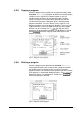
Select the program to be copied (source program location) under
PPROGRAM Æ Copy. Only program locations that actually contain
a program can be copied. If a program location is free, the
selection will be ignored. If all 32 program locations already
contain a program, the selection will be ignored, too. After the
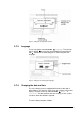
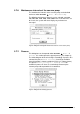
selection of the program, a dialog box opens showing general
program information. The LSC control system suggests a free
program location as the target program location. If necessary, this
suggested location can be changed (through only free program
locations can be selected). Press
to copy the source
program to the target program location. The dialog box is closed.
Select
to exit the copying mode and to return to the
program selection.
Fig. 40 Dialog box “Copy program“
5.5.6. Deleting a program
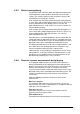
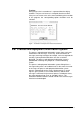
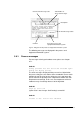
Select the program to be deleted under PROGRAM Æ Delete.
Only program locations that actually contain a program and that
are not locked can be deleted. In the case of free or locked
program locations, the selection will be ignored. After the selection
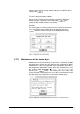
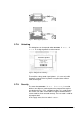
of the program, a confirmation dialog box opens. Press
to
delete the program. The dialog box is closed. Press
to
return to the program selection.
Fig. 41 Dialog box “Delete program“
Operating Manual Freeze Dryer ALPHA 1-4 LSC / ALPHA 2-4 LSC LSC Control System • 61