
Technical data

5.7. Options
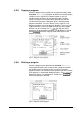
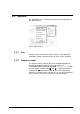
The OPTIONS menu is used to enter elementary configurations of
the control system.
Fig. 44 Options menu
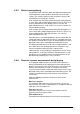
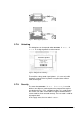
5.7.1. Info
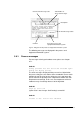
Select the menu item Info to open the process and equipment
information system. Saved messages or errors can be read here.
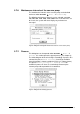
5.7.2. Display contrast
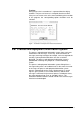
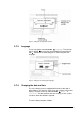
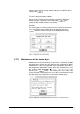
The contrast of the LC display has to be modified depending on
the lighting conditions and the visual angle. Open the
corresponding dialog box under OPTIONS Æ Contrast. Position
the focus on the scrollbar with
and , i.e. adjust the optimum
contrast with
and confirm it with . The value range for the
contrast is restricted so that even with 0 % or 100 % the content of
the LC display can still be seen from a certain visual angle.
66 • LSC Control System Operating Manual Freeze Dryer ALPHA 1-4 LSC / ALPHA 2-4 LSC