
Technical data
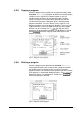
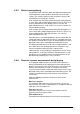
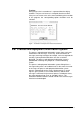
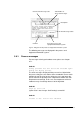
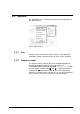
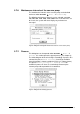

Fig. 51 Mimic diagram process A
Fig. 52 Mimic diagram process B
5.7.8. Unlocking
This dialog box can be opened under OPTIONS Æ Misc. Æ
Unlock. A six-digit keyword has to be entered.
Fig. 53 Dialog box for unlocking
There will be a long sound signal (about 1 s) in case an invalid
keyword is entered. If the keyword is accepted, there will be a
short sound signal.
5.7.9. Security
The menu item OPTIONS Æ Misc. Æ Security is used to
define a four-digit user code to protect the program data against
unauthorized access. First, a dialog box opens. It is used to enter
the current user code. A new code can only be defined after this
current code has been entered correctly. The new code is valid for
all program data!
In the supply state, the user code is "ØØØØ".
70 • LSC Control System Operating Manual Freeze Dryer ALPHA 1-4 LSC / ALPHA 2-4 LSC