
User's Manual


44
Configuring 5000/5100:
System Menu
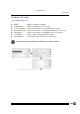
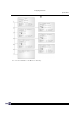
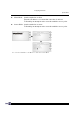
Net Menu > IP Setting
Set network parameters:
DHCP: Options – Enable or Disable
SubNet Mask: Enter a new Mask IP, if necessary.
Local IP Address: Enter a new address for the terminal, if necessary.
Default Gateway: Enter a new address for the default Gateway, if necessary.
DNS Server: Enter a new address for the DNS server, if necessary.
Local Name: Enter a name for identifying the terminal.
Domain Name: The domain name of the host is shown here.
All of the setting could be obtained form DHCP server if DHCP is activated