
User's Guide

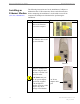
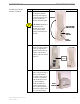


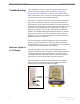
Table Of Contents
- Introduction
- Package Inventory
- Ripwave Models
- Minimum Computing Requirements
- Physical Characteristics
- Installing an Ethernet Modem
- Installing a USB Modem
- Accessing the Internet
- Troubleshooting
- Installing Ripwave Monitor
- TroubleshootingUsing Ripwave Monitor
- Uninstalling Ripwave Monitor
- Installing Navini Diagnostics (NavDiag)
- TroubleshootingUsing Navini Diagnostics (NavDiag)
- Uninstalling Navini Diagnostics
- Installing & Charging the Battery
- Care & Maintenance
- Upgrading the Modem
- ADDENDUM 1: Ripwave™ Modem - PC Troubleshooting
- ADDENDUM 2: End User Software License Agreement

Ripwave Modem User Guide Navini Networks, Inc.
Installing a USB Modem,
Continued
Step Action Illustration
10. Insert the Ripwave
Installation CD into the
computer’s CD-ROM
drive.
11. Select the ‘Search for
the best driver for your
device’ option. Click
Next to continue.
12. Select the ‘CD-ROM
drive’ checkbox. Click
Next to continue.
13. Confirm that the drive
location is correct (it
may be different than
the one shown in the
illustration). The file to
be installed should say
‘NETNNUSB.INF”.
Click Next to continue.
18 Part #40-00097-00 Rev F v1.0
May 21, 2004