
User's Manual


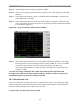

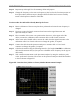
Table Of Contents
- Appendix I: Sample Bill of Materials (BoM)
- Appendix K: RFS System Test (Cable & RFS Sweep)

Navini Networks, Inc. Ripwave Base Station I&C Guide
129
Step 8. Repeat steps 3 through 7 for all remaining cables and jumpers.
Step 9. Change the frequency to the next test frequency (refer back to the Test Setup section of
these procedures). Perform steps 1 through 8 until all cables have been successfully
tested at the frequencies shown in Table K4.
Test Procedure For RF Cables Already Run Up the Tower
Step 1. Ensure calibration of the test setup has been performed each time the test frequency is
changed.
Step 2. If present, remove the barrel connector from between the Signal Generator and
Spectrum Analyzer cables.
Step 3. Have a member of the tower crew positioned on the tower, at the upper end of the
cables, connect the calibration cable to antenna cable 1 with a barrel connector.
Step 4. At the lower end of the RF cables, connect the cable from the Signal Generator to the
calibration cable. Use a barrel connector to change the gender, if required.
Step 5. Connect the cable from the Spectrum Analyzer to antenna cable 1. Use a barrel
connector to change the gender, if required.
Step 6. Calculate the marker using the following formula: (the length of BOTH the calibration
cable and the antenna cable) x (loss per foot at the RFS center frequency for the type of
cable used).
Step 7. Take a marker measurement on the Spectrum Analyzer by using the ‘marker to peak’
or the ‘peak search’ function. The screen on the Spectrum Analyzer should look similar
to the one shown in Figure K5.
Figure K5: Insertion Loss (Cables on Tower) Marker Measurement Example