
User's Guide
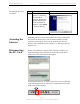
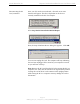
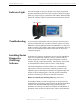
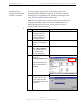
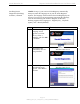
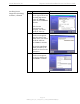
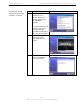
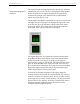
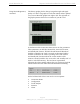
Table Of Contents
- Permissions, Trademarks & Distribution
- Safety
- Regulatory Information
- Introduction
- Package Inventory
- Ripwave Models
- Minimum Computing Requirements
- Physical Characteristics
- Installing the PC Card on Windows 2000
- Accessing the Internet
- Disconnecting the PC Card
- Indicator Light
- Troubleshooting
- Installing Navini Diagnostics (NavDiag) Software
- Using Navini Diagnostics
- Uninstalling Navini Diagnostics Software
- Optional Desktop Antenna
- Care and Maintenance
- Upgrading the PC Card
- ADDENDUM 1: PC Card - PC Troubleshooting
- ADDENDUM 2: End User Software License Agreement

Navini Networks, Inc. Ripwave Wireless Broadband Access Card User’s Guide
Page 12
050525_pv1.2_PC_Card_User’s_Guide_40-00292-00b(4.3)
Disconnecting the PC
Card, continued
Once you click on the icon indicated, a list with one or more
elements will appear. This list is dependent on the devices
currently installed on the PC. For example:
Select Stop Navini Networks PCMCIA Adapter.
Next, the Stop a Hardware Device dialog box appears. Click OK.
You can now unplug the Card. The computer will beep indicating
the Card was unplugged. If the sound on your computer is turned
on you will hear one beep.
Note: Remove the PC Card from the PC before storing the PC in a
computer case. Also, turn the antenna to its original down position.
Leaving the card in the PC or the antenna in the upright position
while storing the PC in a computer case may damage the card or
the antenna.