
User's Guide
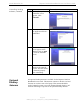
Table Of Contents
- Permissions, Trademarks & Distribution
- Safety
- Regulatory Information
- Introduction
- Package Inventory
- Ripwave Models
- Minimum Computing Requirements
- Physical Characteristics
- Installing the PC Card on Windows 2000
- Accessing the Internet
- Disconnecting the PC Card
- Indicator Light
- Troubleshooting
- Installing Navini Diagnostics (NavDiag) Software
- Using Navini Diagnostics
- Uninstalling Navini Diagnostics Software
- Optional Desktop Antenna
- Care and Maintenance
- Upgrading the PC Card
- ADDENDUM 1: PC Card - PC Troubleshooting
- ADDENDUM 2: End User Software License Agreement

Navini Networks, Inc. Ripwave Wireless Broadband Access Card User’s Guide
Page 23
050525_pv1.2_PC_Card_User’s_Guide_40-00292-00b(4.3)
Using Navini Diagnostics,
continued
Uninstalling
Navini
Diagnostics
Software
A Help button appears on the top right corner of all the NavDiag
windows. The Help button gives you two options. The first option,
On NavDiag, provides help text on the functionality of the
NavDiag program. The second option, About NavDiag, is
equivalent to clicking on the About icon.
If for some reason you need to uninstall the NavDiag software,
e.g., to upgrade your Operating System software, follow the
procedure below.
Note: The screenshots shown in these instructions were taken from
a laptop with Windows 2000. If you have a Windows 98, XP, or
ME operating system, the screens you see may vary from the
screens shown in the instructions.
Step Action Illustration
1. On your computer
screen lower left corner,
click on Start >
Programs > NavDiag >
Uninstall.
Windows 2000 Screen