
User's Guide
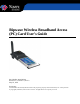
Table Of Contents
- Permissions, Trademarks & Distribution
- Safety
- Regulatory Information
- Introduction
- Package Inventory
- Ripwave Models
- Minimum Computing Requirements
- Physical Characteristics
- Installing the PC Card on Windows 2000
- Accessing the Internet
- Disconnecting the PC Card
- Indicator Light
- Troubleshooting
- Installing Navini Diagnostics (NavDiag) Software
- Using Navini Diagnostics
- Uninstalling Navini Diagnostics Software
- Optional Desktop Antenna
- Care and Maintenance
- Upgrading the PC Card
- ADDENDUM 1: PC Card - PC Troubleshooting
- ADDENDUM 2: End User Software License Agreement

Navini Networks, Inc. Ripwave Wireless Broadband Access (PC) Card User’s Guide
Page 4
050525_pv1.2_PC_Card_User’s_Guide_40-00292-00b(4.3)
Safety
When using a Ripwave Wireless Broadband Access Card, always follow basic safety precautions to
reduce the risk of electrical shock, fire, and injury to people and/or property. Follow all warnings and
instructions that come with the equipment.
1. Do not use the equipment while you are in a bathtub, shower, pool, or spa. Exposure of the
equipment to water could cause severe electrical shock or serious damage to the equipment.
2. Do not immerse the equipment in any type of liquid. Use a damp, lint-free cloth and if needed, an
electrical contact cleaner that is non-conductible to clean the Modem card. Unplug the Modem card
from the PC before cleaning. Do not use chemicals or abrasive to clean the Modem card. Also, use
caution around the connection pins.
3. Follow all airport and FAA regulations when using the equipment on or near aircraft.
4. Do not use the Ripwave Wireless Broadband Access Card near medical equipment, life support
equipment, or any equipment that may be susceptible to any form of radio interference. In such areas,
the Card must be powered off.
5. The driver or operator of any vehicle should not operate the Ripwave Wireless Broadband Access
Card while in control of a vehicle. Doing so will detract from the driver or operator’s control and
operation of the vehicle.
6. Do not disassemble the equipment. Removing covers may expose dangerous voltages or other risks
and also voids the warranty. Incorrect reassembly can cause equipment damage or electrical shock.
Only an authorized repair technician should service this product.
7. Do not expose the equipment to extreme hot or cold temperatures.
8. Do not use the equipment under the following conditions:
• When the equipment has been exposed to water or moisture.
• When the equipment has been damaged.
• When the equipment does not operate properly or shows a distinct change in performance.