
User's Guide
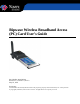
Table Of Contents
- Permissions, Trademarks & Distribution
- Safety
- Regulatory Information
- Introduction
- Package Inventory
- Ripwave Models
- Minimum Computing Requirements
- Physical Characteristics
- Installing the PC Card on Windows 2000
- Accessing the Internet
- Disconnecting the PC Card
- Indicator Light
- Troubleshooting
- Installing Navini Diagnostics (NavDiag) Software
- Using Navini Diagnostics
- Uninstalling Navini Diagnostics Software
- Optional Desktop Antenna
- Care and Maintenance
- Upgrading the PC Card
- ADDENDUM 1: PC Card - PC Troubleshooting
- ADDENDUM 2: End User Software License Agreement

Navini Networks, Inc. Ripwave Wireless Broadband Access Card User’s Guide
Page 6
050525_pv1.2_PC_Card_User’s_Guide_40-00292-00b(4.3)
Introduction
Package
Inventory
Ripwave Models
Congratulations! The Ripwave Wireless Broadband Access Card,
or PC Card for short, is a user-friendly, easy-to-install device that
helps you connect wirelessly to the Internet using the Network
Interface Card (NIC) port on a laptop computer. It provides
complete broadband Internet access to residential and small
office/home office (SOHO) users without the necessity of
professional hardware installation.
The PC Card allows you to have portable Internet or other wireless
access service. A computer with this device can be moved from
room to room, location to location, or even city to city as long as
there is coverage and appropriate reception in the area.
Please verify the contents of your PC Card package. If you do not
find all of these items in your package, notify the supplier from
whom you obtained the package.
• The Ripwave Wireless Broadband Access Card
• External antenna
• Installation CD containing:
- PC driver software
- Navini Diagnostics application
- User’s Guide
• Printed copy of the Quick Installation Guide
Your PC Card operates in one of the following frequency ranges:
2.5-2.6, 3.4, or 3.5 GHz. The frequency number appears on the
Card’s label.
Operating Frequencies:
Model Frequency Range Operating Band
2.5-2.6 GHz
2.500 GHz - 2.686 GHz MMDS/ITFS
3.4 GHz
3.410 Ghz – 3.525 GHz WLL
3.5 GHz
3.475 GHz – 3.600 GHz WLL