
User's Manual
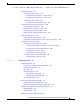
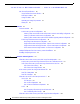
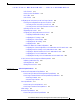
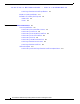
Table Of Contents
- Contents
- Preface
- Overview
- Installation
- Preparing for Installation
- Unpacking the Components
- Installation Guidelines
- Installing the Devices
- Connecting the Protective Ground and Power
- Wiring the Alarm Circuits
- Connecting to Device Ports

29/OCT/2014 REVIEW DRAFT — CISCO CONFIDENTIAL
x
Cisco IR500 Series WPAN Gateway and Range Extender Installation and Configuration Guide
Tip Means the following information will help you solve a problem. The tips information might not be
troubleshooting or even an action, but could be useful information, similar to a Timesaver.
Caution Means reader be careful. In this situation, you might perform an action that could result in equipment
damage or loss of data.
Timesaver Means the described action saves time. You can save time by performing the action described in
the paragraph.
Warning
IMPORTANT SAFETY INSTRUCTIONS
This warning symbol means danger. You are in a situation that could cause bodily injury. Before you
work on any equipment, be aware of the hazards involved with electrical circuitry and be familiar
with standard practices for preventing accidents. Use the statement number provided at the end of
each warning to locate its translation in the translated safety warnings that accompanied this device.
SAVE THESE INSTRUCTIONS
Warning
Statements using this symbol are provided for additional information and to comply with regulatory
and customer requirements.
Related Documents
Before installing, configuring, or upgrading the WPAN gateway or WPAN range extender, see the
release notes on Cisco.com for the latest information.
The following documents relate to the deployment of the WPAN g
ateway and WPAN range extender:
• Cisco Connected Grid Network Management System User Guide. Contact Cisco for a copy of this
document.
• Cisco Connected Grid WPAN Module for CGR 1000 Series Installation and CG-Mesh Configuration
Guide
• "Mapping of Address and Port Using Translation" chapter of Cisco Systems, Inc. IP Addressing:
NAT Configuration Guide, Cisco IOS XE Release 3S (ASR 1000)
• Raw Socket Transport Software Configuration Guide for Cisco 1000 Series Connected Grid Routers
(Cisco IOS)