
User's Manual


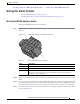
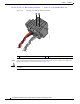
Table Of Contents
- Contents
- Preface
- Overview
- Installation
- Preparing for Installation
- Unpacking the Components
- Installation Guidelines
- Installing the Devices
- Connecting the Protective Ground and Power
- Wiring the Alarm Circuits
- Connecting to Device Ports

29/OCT/2014 REVIEW DRAFT — CISCO CONFIDENTIAL
2-27
Cisco IR500 Series WPAN Gateway and Range Extender Installation and Configuration Guide
Chapter 2 Installation
Connecting the Protective Ground and Power
Wiring the WPAN Range Extender AC Power
When wiring the range extender AC power, you must ensure that the following conditions are met:
• AC power can be readily and conveniently removed from the WPAN range extender. The power
should not be removed by disconnecting the AC power connector on the unit. It should be removed
by disabling AC power at the power circuit.
Warning
The AC power supply has double pole/neutral fusing.
Statement 188
Warning
The plug-socket combination must be accessible at all times, because it serves as the main
disconnecting device.
Statement 1019
Caution Before connecting or disconnecting the power cord, you must remove AC power from the power cord
using a suitable service disconnect.
• You must protect AC power plugs and AC receptacles from water and other outdoor elements. You
can use a UL-listed waterproofing enclosure suitable for covering the AC receptacle and AC power
plug that supplies power to the unit, as described in Article 406 of the National Electric Code (NEC).
• When you install the unit outdoors, or in a wet or damp location, the AC branch circuit that powers
the unit should have ground fault protection (GFCI), as required by Article 210 of the NEC.
• If the power cord goes through a metal cover, a bushing should be installed to prevent fraying of the
cord. When using a strain relief bushing, you should follow these recommendations:
–
Use properly sized parts
–
Use bushings that are safety certified
–
Use parts that are suitable for outdoor installation
• Ensure that the user-supplied AC power plug is certified for outdoor use and has a minimum IP67
rating.
The topics in this section include:
• AC Power Cable, page 2-27
• Connecting to AC Power, page 2-28
AC Power Cable
The WPAN range extender supports the Cisco AC power cable that is shipped with the unit. One end of
the cable has the range extender AC power connector; the other end is unfinished and you must provide
and attach an AC power plug, or terminate the cable at your installation site. The AC power plug or
termination method you use depends on the power source, such as a junction box, at your site.
If you attach an AC power plug:
• Use a plug that complies with local and national electrical codes.
• Verify the connection between the cable and plug is weatherproof.
You might have to cut the cable if a specific ca
ble length is needed for your installation.