
User's Manual
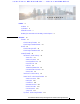
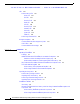
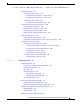
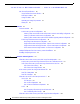
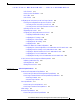
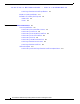
Table Of Contents
- Contents
- Preface
- Overview
- Installation
- Preparing for Installation
- Unpacking the Components
- Installation Guidelines
- Installing the Devices
- Connecting the Protective Ground and Power
- Wiring the Alarm Circuits
- Connecting to Device Ports

29/OCT/2014 REVIEW DRAFT — CISCO CONFIDENTIAL
ix
Cisco IR500 Series WPAN Gateway and Range Extender Installation and Configuration Guide
Preface
Audience
This guide is for the networking or computer technician responsible for installing and configuring
WPAN gateway and WPAN range extender devices.
Conventions
This document uses the following conventions:
Convention Indication
bold font Commands and keywords and user-entered text appear in bold font.
it
alic font Document titles, ne
w or emphasized terms, and arguments for which you supply
values are in italic font.
[ ] Elements in square brackets are optional.
{x | y | z } Required alternative keywords are grouped in braces and separated by
ve
rtic
al bars.
[ x | y | z ] Optional alternative keywords are grouped in brackets and separated by
ve
rtic
al bars.
string A nonquoted set of characters. Do not use quotation marks around the string or
t
he string will in
clude the quotation marks.
courier font Terminal sessions and information the system displays appear in courier font.
< > Nonprinting characters such as passwords are in angle brack
ets.
[ ] Default responses to system prompts are in square brackets.
!, # An ex
clamation point (!) or a pound sign (#) at the beginning of a l
ine of code
indicates a comment line.
Note Means reader take note. Notes contain helpful suggestions or references to material not covered in the
manual.