
User's Manual




29/OCT/2014 REVIEW DRAFT — CISCO CONFIDENTIAL
5-13
Cisco IR500 Series WPAN Gateway and Range Extender Installation and Configuration Guide
Chapter 5 Operation and Configuration
Configuring the WPAN Gateway and WPAN Range Extender
Connecting to the WPAN Gateway Console Port
To connect to the WPAN gateway console port:
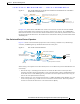
Step 1 Connect the RJ-45-to-DB-9 adapter cable to the 9-pin serial port on the PC. Connect the other end of the
cable to the WPAN gateway console port.
Figure 5-8 Connecting the Console Cable
391433
Connecting to the WPAN Range Extender Console Port
To connect to the WPAN gateway range extender:
Step 1 Use a 0.5 in. (13 mm) socket wrench to remove the console port cover. See Figure 5-9.