
Product Info Chapter 2e


Navini Networks, Inc. Ripwave Base Station I&C Guide
Chapter 2e
Part #40-00047-06 Rev F v1.0 (TTA) 69
October 23, 2003
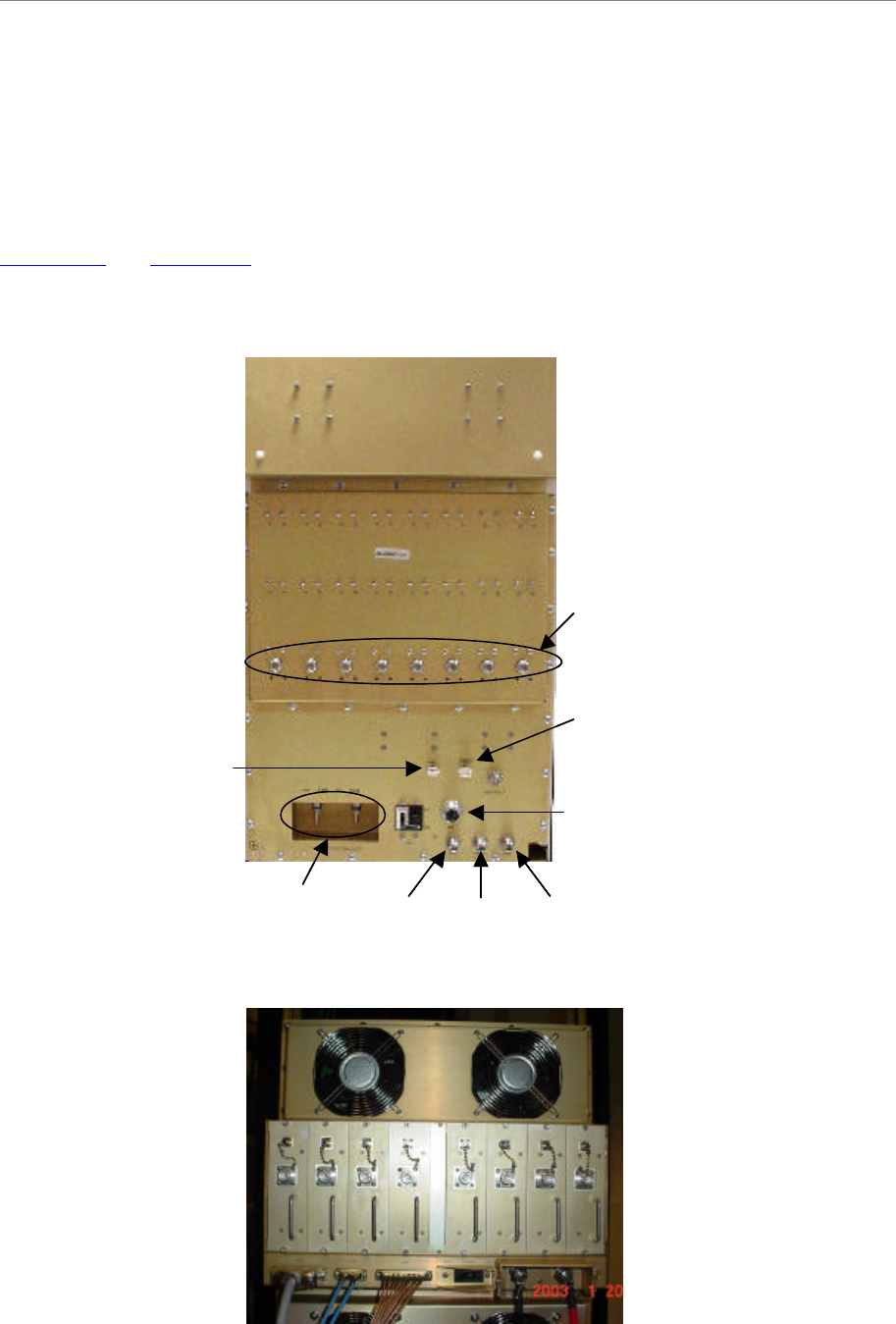
Connect RF Cables & Alarms to BTS
Connect all of the cables to the BTS. The connection points are shown in Figures 39, 40, 41, and
42. Torque the cable connectors to 20-24 inch-pounds. If applicable, connect the cabinet alarm
connector and Battery Backup connector (Cabinet Alarm and BBU) to the back of the chassis.
More information on connecting alarms, rectifiers, and battery backup equipment are provided in
Appendix P and Appendix J, respectively.
Figure 39: Combo Chassis Rear View
Figure 40: Split Chassis RF/PA Shelf Rear View
Cabinet
Alarms
Data/Power
GPS 2CAL GPS 1DC Power
RF Cables
Battery
Backup
Unit
(BBU)
Alarms
Cabinet
Alarms
Data/Power
GPS 2CAL GPS 1DC Power
RF Cables
Battery
Backup
Unit
(BBU)
Alarms