- Cisco Network Router User's Manual
Manuals
Brands
Cisco Systems Manuals
Network Router
LAIRCTVM5K9
21
22
23
24
25
26
27
28
29
30
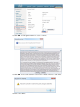
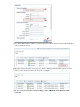
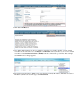
In Device Work Center, click
Add Device
.
3.
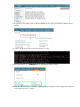
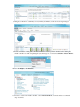
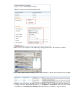
Enter the IP Address and SNMP Community string (Read/Write). By default, the SNMP RW for the
controller is Private. Click
Add
.
4.
1
...
...
22
23
24
25
26
...
...
33