
User's Manual


Cisco Unified IP Phone 8961, 9951, and 9971 User Guide for Cisco Unified Communications Manager 7.1(3) (SIP) 71
EFT DRAFT - CISCO CONFIDENTIAL
Messages
Voice Messages
Voice messages are stored on your voicemail system. Your company determines the voicemail system
your phone uses.
You can:
• Personalize your voicemail
• Check for voice messages
• Listen to voice messages
Personalize Your Voicemail
Press the Messages button , then follow the voice prompts.
Check for Voice Messages
Check for voice messages in any of these ways:
• Look for a solid red light on your handset.
You can set up the visual message waiting lamp using your User Options Web pages.
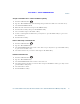
• Look for a Message icon on a line label.
The red background indicates that there are new voice messages.
When you select a line with a Message icon, a Voicemail icon displays on the right side of
the phone screen.
Depending on your voicemail system, you might see a count of your new voice messages on the
Message icon
and Voicemail icon .
If there are more than 99 new voice messages, the message count is replaced by a plus (+) sign.
If call forwarding is set up on a line that has new voice messages, the Call Forward icon
replaces the Message icon on the line label.
• Listen for a stutter tone from your handset, headset, or speakerphone when you place a call.
The stutter tone is line-specific. You hear it only when using the line that has new voice messages.