
User's Manual

Your Phone
Cisco Unified IP Phone 8961, 9951, and 9971 User Guide for Cisco Unified Communications Manager 7.1(3) (SIP) 49
EFT DRAFT - CISCO CONFIDENTIAL
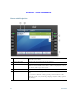
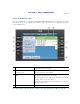
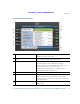
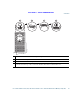
Phone with Answer Button
1
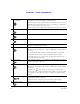
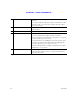
Header Displays the date and time, and information (such as phone
number) about the selected line.
2
Session button label (for connected
call)
Displays information (such as call status and duration)
about a connected call on the selected line.
3
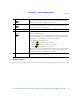
Session button labels (for held calls) Display information (such as call status and duration)
about held calls associated with the selected line.
Calls are displayed on the right side of the phone screen
from the oldest (at the top) to the newest.
Pressing the session button next to a Held Call icon
resumes the held call for that session.
4
Softkeys Touch-sensitive softkey options.
5
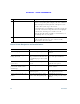
Answer button label Displays if your system administrator has assigned the
Answer feature to the programmable feature button.
Pressing this label or the corresponding button answers the
oldest incoming call.
6
Speed-dial button label Displays if you assigned a speed dial to the programmable
feature button.