
User's Manual

52 OL-19963-01
EFT DRAFT - CISCO CONFIDENTIAL
Power-Save Mode
Depending on how your system administrator sets up the phone, your phone display might go into
power-save mode (the phone screen appears blank and the Select button is lit white). To turn on the
phone display, press any button, touch the blank phone screen, or pick up the handset.
Phone Display Cleaning
Before cleaning the phone display, disable the phone screen by pressing the Select button until you see
the message “Touchscreen Disabled.”
To enable the phone screen again after cleaning, press the Select button until you see the message
“Touchscreen Enabled.”
Caution Use only a soft, dry cloth to wipe the phone display. Do not use any liquids or powders
on the phone, as they can contaminate phone components and cause failures.
Handset Rest
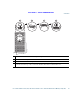
Your system administrator may have mounted your phone on a wall. With a wall-mounted phone, you
might need to adjust the handset rest to ensure that the receiver will not slip out of the cradle.