
User's Manual




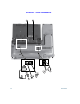

Your Phone
Cisco Unified IP Phone 8961, 9951, and 9971 User Guide for Cisco Unified Communications Manager 7.1(3) (SIP) 35
EFT DRAFT - CISCO CONFIDENTIAL
Power-Save Mode
Depending on how your system administrator sets up the phone, your phone display might go into
power-save mode (the phone screen appears blank and the Select button is lit white). To turn on the
phone display, press any button or pick up the handset.
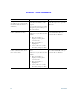
Change the line view (while on a
call).
Select a different line (by
pressing the line button or
scrolling and pressing the Select
button).
If you are on a call, changing the
line view does not end the call,
but it may disappear from view.
To see your current call session
again, select the line the call is
on.
While on a call, press a different
line button.
Call session information for the
newly selected line is displayed.
Call session information
previously displayed may
disappear from view.
Go back to the previous screen
or menu.
Press the Back button or
the softkey.
From the Preferences menu,
press
or the
softkey.
Task Action Example