
User's Manual



Your Phone
Cisco Unified IP Phone 8961, 9951, and 9971 User Guide for Cisco Unified Communications Manager 7.1(3) (SIP) 11
EFT DRAFT - CISCO CONFIDENTIAL
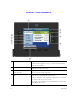
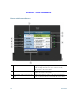
Phone with Multiple Lines
If you have multiple lines, it is highly recommended that the All Calls feature is enabled on your phone.
All Calls allows you to view all the calls on all lines at the same time. For more information, see your
system administrator.
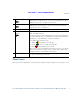
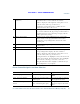
4
Session button label (for
held call)
Displays information (such as phone number and duration) about a
held call on the line.
Pressing the corresponding session button resumes the held call.
5
New Call icon Indicates you can press the corresponding session button to make a
new call.
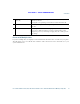
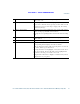
6
Softkeys Softkey options for the selected (highlighted) call only.
If you select a different call (by pressing a feature button or the
Navigation pad, or by answering a ringing call), the softkey options
may change.