
User's Manual



16 OL-19963-01
EFT DRAFT - CISCO CONFIDENTIAL
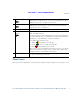
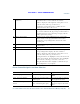
Navigate to a submenu.
(A right arrow (>) next to the
menu item indicates there is a
submenu.)
Highlight the menu item and
press the item number on the
keypad.
Or press the down arrow on the
Navigation pad and then press
the Select button.
Highlight the Network Setup
menu, then press 1 to open the
submenu.
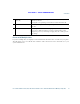
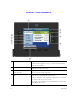
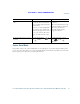
Select a line to use a calling
feature (when line is idle).
Press the feature (line) button.
Indicators of your line selection
include:
• The selected line is
displayed on the phone
screen header.
• The selected line is
highlighted.
• Color of the icon (on the
line label) changes to blue.
Press the line button, then press
the Forward All softkey to
forward calls on that line.
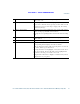
Select a line to use a calling
feature (when line has one or
more active calls).
Press the feature (line) button
twice.
Indicators of your line selection
include:
• The selected line is
displayed on the phone
screen header.
• The selected line is
highlighted.
• Color of the icon (on the
line label) changes to blue.
Press the line button twice, then
press the Forward All softkey to
forward calls on that line.
Task Action Example