
Installation guide


1-5
Catalyst 3560 Switch Hardware Installation Guide
OL-6337-03
Chapter 1 Product Overview
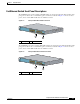
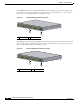
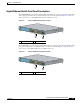
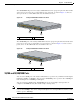
Front Panel Description
Gigabit Ethernet Switch Front Panel Descriptions
The 10/100/1000 PoE ports on the Catalyst 3560G-24PS switch are grouped in pairs. The first member
of the pair (port 1) is above the second member (port 2) on the left, as shown in Figure 1-5. Port 3 is
above port 4, and so on. The SFP module slots are numbered 25 to 28.
Figure 1-5 Catalyst 3560G-24PS Switch Front Panel
The 10/100/1000 ports on the Catalyst 3560-24TS switch are grouped in pairs. The first member of the
pair (port 1) is above the second member (port 2) on the left, as shown in Figure 1-6. Port 3 is above
port 4, and so on. The SFP module slots are numbered 25 to 28.
Figure 1-6 Catalyst 3560G-24TS Switch Front Panel
1 10/100/1000 ports 2 SFP module slots
119676
2
C
a
ta
ly
s
t 3
5
6
0
G
S
E
R
IES
P
o
E
-
2
4
M
O
D
E
1
1
2
3
4
5
6
7
8
9
1
0
1
1
1
2
1
4
1
5
1
6
1
7
1
8
1
9
2
0
2
1
2
2
2
3
2
4
1
3
1
X
2
X
1
1
X
1
2
X
1
3
X
1
4
X
2
3
X
2
4
X
R
P
S
S
T
A
T
D
U
P
L
X
S
P
E
E
D
P
o
E
S
Y
S
T
25
26
27
28
1 10/100/1000 ports 2 SFP module slots
119677
2
C
a
ta
ly
s
t
3
5
6
0
G
S
E
R
IE
S
M
O
D
E
1
1
2
3
4
5
6
7
8
9
1
0
1
1
1
2
1
4
1
5
1
6
1
7
1
8
1
9
2
0
2
1
2
2
2
3
2
4
1
3
1
X
2
X
1
1
X
1
2
X
1
3
X
1
4
X
2
3
X
2
4
X
R
P
S
S
T
A
T
D
U
P
L
X
S
P
E
E
D
S
Y
S
T
25
26
27
28