
Installation guide


1-12
Catalyst 3560 Switch Hardware Installation Guide
OL-6337-03
Chapter 1 Product Overview
Front Panel Description
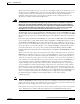
Table 1-4 lists the PoE mode LED colors and their meanings. The PoE LED applies only to Catalyst 3560
switches that support PoE.
Table 1-4 PoE Mode LED
Color PoE Status
Off PoE mode is not selected. None of the 10/100 or 10/100/1000 PoE ports have been
denied power or are in a fault condition.
Green PoE mode is selected, and the PoE status is shown on the port LEDs.
Blinking amber PoE mode is not selected. At least one of the 10/100 or 10/100/1000 PoE ports has
been denied power, or at least one of the ports has a PoE fault.
Table 1-5 Meaning of Port LED Colors in Different Modes on the Switch
Port Mode LED Color Meaning
PoE Off PoE is off.
If the powered device is receiving power from an AC power
source, the PoE port LED is off even if the powered device is
connected to the switch port.
Green PoE is on. The port LED is green only when the switch port is
providing power.
Alternating
green and
amber
PoE is denied because providing power to the powered device will
exceed the 370 W switch power capacity.
Blinking amber PoE is off due to a fault.
Caution PoE faults are caused when noncompliant cabling or
powered devices are connected to a PoE port. Only
standard-compliant cabling can be used to connect
Cisco pre-standard IP Phones or wireless access points
or IEEE 802.3af-compliant devices to PoE ports. A
cable or device that causes a PoE fault must be
removed from the network.
Amber PoE for the port has been disabled.
Note PoE is enabled by default.