
Installation guide


2-12
Catalyst 3560 Switch Hardware Installation Guide
OL-6337-03
Chapter 2 Switch Installation
Installing the Switch
Attaching the Cable Guide
We recommend attaching the cable guide to prevent the cables from obscuring the front panel of the
switch and the other devices installed in the rack. Use the supplied black screw shown in Figure 2-9 to
attach the cable guide to the left or right bracket.
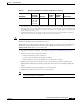
Figure 2-9 Attaching the Cable Guide on the Catalyst 3560 Switch
Wall-Mounting
To install the switch on a wall, follow the instructions in these procedures:
• Attaching the Brackets to the Switch for Wall Mounting, page 2-13
• Attaching the RPS Connector Cover, page 2-13
• Mounting the Switch on a Wall, page 2-14
1 Cable guide screw
C
a
t
a
l
y
s
t
3
5
6
0
S
E
R
I
E
S
PoE-48
SYST
RPS
STAT
DUPLX
SPEED
PoE
M
O
D
E
1
2
3
4
1
2
56
7
8
9
1
0
1
1
1
2
13
14
1
5
1
6
3
4
1
X
2
X
1
5
X
1
6
X
1
7
1
8
21
2
2
2
324
2
526
2
728
2
9
3
0
31
3
2
1
9
2
0
1
7
X
1
8
X
3
1
X
3
2
X
3
3
34
3
7
3
8
3
9
40
4
1
4
2
4
3
4
4
45
4
6
47
4
8
3
5
3
6
3
3
X
3
4
X
4
7
X
4
8
X
1
97924