
Manual
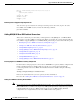
Table Of Contents
- Support for QSIG Over BRI and Q.931 Over BRI Backhaul
- Feature Overview
- Supported Platforms
- Supported Standards, MIBs, and RFCs
- Prerequisites for Using This Feature
- Configuration Tasks
- Provisioning Tasks
- Monitoring and Maintaining the Feature
- Configuration Examples
- Provisioning Examples
- Command Reference
- Reference Information
- Obtaining Documentation
- Documentation Feedback
- Obtaining Technical Assistance
- Obtaining Additional Publications and Information
- Glossary

Support for QSIG Over BRI and Q.931 Over BRI Backhaul
Provisioning Tasks
11
Cisco MGC Software Release 9.5(2)
• Retrieving Data on Supported Signaling Protocols, page 12
Retrieving Data for an Individual Component
You can retrieve provisioning data for any individual component of your system. To do this, log in to the
active Cisco MGC, start an MML session, and enter the following command:
prov-rtrv:component:name=MML_name
Where:
• component—The MML component type associated with the desired component. You can find a
complete list of MML component types in the Cisco Media Gateway Controller Software Release 9
Provisioning Guide.
• MML_name—The MML name for the desired component. You can determine the MML names for
the various components using the prov-rtrv:all MML command.
For example, to view the provisioning data for a SS7 signaling service called ss7svc1, you would enter
the following command:
prov-rtrv:ss7path:name="ss7svc1"
The response to the command is dependent upon the component type associated with the desired
component.
Retrieving Data for All Components
You can retrieve data for all of the components provisioned on your system. To do this, log in to the
active Cisco MGC, start an MML session, and enter the following command:
prov-rtrv:all
Retrieving Data for All Components of a Particular Type
You can retrieve provisioning data on all components of a particular type on your system. To do this, log
in to the active Cisco MGC, start an MML session, and enter the following command:
prov-rtrv:component:”all”
Where component is the MML component type associated with the desired component group. You can
find a complete list of MML component types in the Cisco Media Gateway Controller Software
Release 9 Provisioning Guide.
For example, to view the provisioning data for all SS7 signaling services, you would enter the following
command:
prov-rtrv:ss7path:"all"
Retrieving Data on the Current Provisioning Session
You can retrieve provisioning data on the current provisioning session. To do this, log in to the active
Cisco MGC, start an MML session, and enter the following command:
prov-rtrv:session
The system returns a response similar to the following: