
Administrator's Guide

Configuring Ports
Cisco Small Business SFE/SGE Managed Switches Administration Guide 159
5
Modifying Port Settings
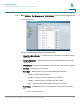
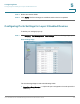
STEP 1 Click Bridging > Port Management > Port Settings. The Port Settings Page opens:
STEP 2 Define the Unit number.
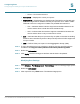
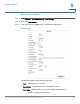
STEP 3 Click a specific entry’s Edit button. The
Edit Port Page
opens:
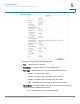
Edit Port Page
The
Edit Port Page
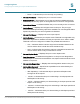
contains the following fields:
• Port — Displays the port number.
• Description — Specifies the port’s user-defined name.
• Port Type — Displays the port type.The possible field values are:
-
1000M
— Copper (copper cable).