
Administrator's Guide

Managing Device Diagnostics
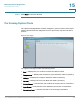
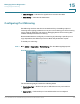
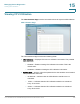
Viewing Integrated Cable Tests
Cisco Small Business SFE/SGE Managed Switches Administration Guide 343
15
• Approximate Cable Length — Indicates the estimated cable length. This test
can only be performed when the port is up and operating at 1 Gbps.
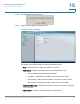
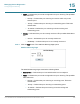
For testing on GE ports, an Advanced button opens the
Copper Cable Extended
Feature
Screen
.
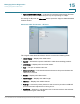
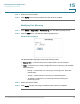
Advanced Cable Test Screen - GE Ports
The
Copper Cable Extended Feature Screen
contains the following fields.
• Cable Status — Displays the cable status.
• Speed — Indicates the speed at which the cable is transmitting packets.
• Link Status — Displays the current link status.
• Pair — The pair of cables under test.
• Distance to Fault — Indicates the distance between the port and where the
cable error occurred.
• Status — Displays the cable status.
• Cable length — Displays the cable length.
• Channel — Displays the cable’s channel.
• Polarity — Automatic polarity detection and correction permits on all RJ-45
ports for automatic adjustment of wiring errors.
• Pair Skew — Reaction or transmission time in nanoseconds for the selected
cable pair and given cable length.