
Administrator's Guide

Viewing Statistics
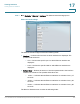
Viewing Ethernet Statistics
Cisco Small Business SFE/SGE Managed Switches Administration Guide 365
17
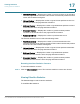
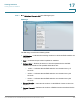
• Frame Check Sequence (FCS) Errors — Displays the number of FCS errors
received on the selected interface.
• Single Collision Frames — Displays the number of single collision frames
received on the selected interface.
• Late Collisions — Displays the number of late collision frames received on the
selected interface.
• Oversize Packets — Displays the number of oversized packets (over 1518
octets) received on the interface since the page was last refreshed.
• Internal MAC Receive Errors — Displays the number of internal MAC received
errors on the selected interface
• Received Pause Frames — Displays the number of received paused frames on
the selected interface.
• Transmitted Pause Frames — Displays the number of paused frames
transmitted from the selected interface.
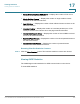
Resetting Etherlike Statistics Counters
STEP 2 Click the Clear Counters button. The interface statistics counters are cleared.
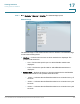
Viewing GVRP Statistics
The
GVRP Page
contains statistics for GVRP communication on the device.
To view GVRP statistics: