
Administrator's Guide

Viewing Statistics
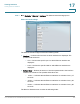
Viewing Ethernet Statistics
Cisco Small Business SFE/SGE Managed Switches Administration Guide 367
17
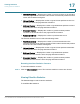
• Empty — Displays the device GVRP Empty statistics.
• Leave Empty — Displays the device GVRP Leave Empty statistics.
• Join In — Displays the device GVRP Join In statistics.
• Leave In — Displays the device GVRP Leave in statistics.
• Leave All— Displays the device GVRP Leave all statistics.
The GVRP Error Statistics Table contains the following fields:
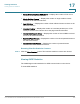
• Invalid Protocol ID — Displays the device GVRP Invalid Protocol ID statistics.
• Invalid Attribute Type — Displays the device GVRP Invalid Attribute ID
statistics.
• Invalid Attribute Value — Displays the device GVRP Invalid Attribute Value
statistics.
• Invalid Attribute Length — Displays the device GVRP Invalid Attribute Length
statistics.
• Invalid Event — Displays the device GVRP Invalid Events statistics.
Resetting GVRP Statistics Counters
STEP 2 Click Clear Counters. The GVRP statistics counters are cleared.
Viewing EAP Statistics
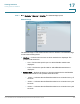
The
EAP Page
contains information about EAP packets received on a specific
port.
To v i e w t h e E A P S t a t i s t i c s :