
Users Manual Part 1

RADIO AND CD/USB PLAYER WITH Bluetooth®
1-13
● Files protected by DRM (Digital Rights
Management), cannot be playback on this
unit.
NOTE
Playing Music Downloaded in USB Flash Memory
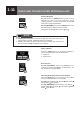
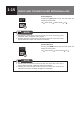
Insert the adapter
Insert the adapter to the USB terminal and connect
the USB device that stores music data. After the music
data is recognized, the playback will start.
USB Memory Operations
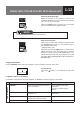
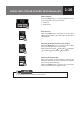
Selecting the USB Mode
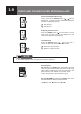
Pressing the
[MEDIA]
button when the USB device is
connected allows you to switch from other audio mode
to the USB mode.
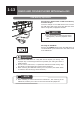
● Connect the USB device in a way that will not impede your driving. The
improper way of connecting the device may disturb your driving and cause a
trafc accident.
● Do not connect, disconnect, or operate the USB device while driving. Stop
the vehicle in a safe location and perform these operations.
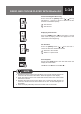
● When removing the USB ash memory, turn off (“LOCK”) the starter switch
or select the other mode (e.g. FM or AM mode.)
CAUTION
● When switching to other mode from the USB mode , then returning to the
USB mode, it allows you to return to the music le that was played last.
NOTE