
Users Manual Part 1

RADIO AND CD/USB PLAYER WITH Bluetooth®
1-20
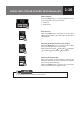
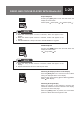
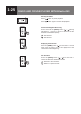
Repeat Playback
Pressing the
[RPT]
button each time will switch the
display as shown below:
Folder repeat
Track repeat off Folder repeat ...
● When the “Track repeat” function is selected, “RPT” will appear on the
display.
● When the “Folder repeat” function is selected, “F.RPT” will appear on the
display
● FOLDER REPEAT is always ON unless TRACK REPEAT is triggered.
NOTE
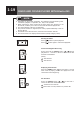
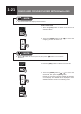
ShufePlayback
Pressing the
[RDM]
button each time will switch the
display as shown below:
Off
Song shufe Off
● When the “Song shuffle” function is selected, “RDM” will appear on the
display
● Repeat and Random can be co-exist in Ipod mode.
NOTE
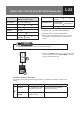
Switching the Displayed Items on the Display
Press the
[TEXT]
button for 1 second or more to switch
among the displayed items on the display.
Main Display (Title Name)
Artist Name Album
Name
Main Display...
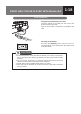
Switching the Page Display
When the number of text characters exceeds the
maximum number that can be indicated on the display,
you can move to the next page.
When the
[TEXT]
button is pressed, the next hidden
portions of TEXT data are brought into view.