
Users Manual Part 1

RADIO AND CD/USB PLAYER WITH Bluetooth®
1-22
● Press the “Back” button to return to the previous display.
NOTE
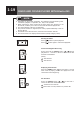
Category Order for the display of the
SONGS selection mode
PLAYLISTS PLAYLIST
SONGS
ARTISTS ARTISTS
ALBUMS SONGS
ALBUMS ALBUMS
SONGS
SONGS SONGS
PODCASTS PODCASTS
EPISODES
GENRES GENRES
ARTISTS
ALBUMS
SONGS
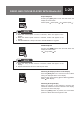
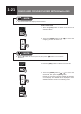
5. Press the
[SEEK]
button
[
/
]
to select the
desired music file, then press the
[ENT]
button to
play the selected music le.
*1 Playback start from selected AUDIOBOOKS.
*2 Playback start from selected CHAPTERS.
*3 Station radio will not be display if user not sign in
to the Apple. The display text is as received from
device.
COMPOSERS COMPOSERS ALBUMS
SONGS
AUDIOBOOKS AUDIOBOOKS*1
AUDIOBOOKS
CHAPTERS*2
iTunes RADIO RADIO
CHANNEL *3
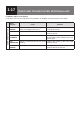
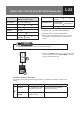
Error Display Cause Measure
iPod
NO FILE No playable music data
recorded on the iPod.
Connect a iPod that contains
playable music data.
SONG NOT
FOUND
Song selected not listed
in rst 500 song
Select song listed.
If “ERROR” Appears in the Display
If a problem occurs with the iPod during playback, an “ERROR” (message) appears in the
display.