
Users Manual Part 1

RADIO AND CD/USB PLAYER WITH Bluetooth®
1-24
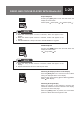
● Up to 5 Bluetooth devices can be registered in this unit. The order of
connection precedence is always 1 to 5. When a device is added or deleted,
the order of connection precedence is updated.
● If the Bluetooth connection (pairing) fails, “PAIRING FAIL” appears on the
display and the mode changes to Bluetooth selection mode. Perform the
registration process again.
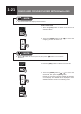
● You can stop the operation by pressing the
[BACK]
button or
[MENU]
button.
NOTE
Selecting Bluetooth Audio Mode
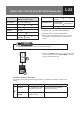
5. Press the
[MEDIA]
button to switch to Bluetooth
Audio and unit will starts playing music les.
● When the audio device is connected, the Bluetooth connection indicator
displayed.
● When you switch Bluetooth audio mode to other modes and then switch
back to Bluetooth audio mode, you can return to the music le that was last
playing.
NOTE