
Home Theater System User Manual



16 VRX938R
English
Owner’s manual
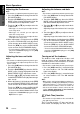
Handling Compact Discs
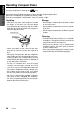
Use only compact discs bearing the mark.
Do not play heart-shaped, octagonal, or other specially shaped compact discs.
Some CDs recorded in CD-R mode may not be usable.
Even when recorded in CD-RW mode, some CDs not be usable.
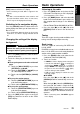
Handling
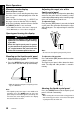
• New discs may have some roughness around
the edges. If such discs are used, the player
may not work or the sound may skip. Use a ball-
point pen or the like to remove any roughness
from the edge of the disc.
• Never stick labels on the surface of the com-
pact disc or mark the surface with a pencil or
pen.
• Never play a compact disc with any cellophane
tape or other glue on it or with peeling off marks.
If you try to play such a compact disc, you may
not be able to get it back out of the CD player or
it may damage the CD player.
• Do not use compact discs that have large
scratches, are misshapen, cracked, etc. Use of
such discs may cause misoperation or damage.
• To remove a compact disc from its storage case,
press down on the center of the case and lift
the disc out, holding it carefully by the edges.
• Do not use commercially available CD protec-
tion sheets or discs equipped with stabilizers,
etc. These may damage the disc or cause break-
down of the internal mechanism.
Ball-point pen
Roughness
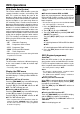
Storage
• Do not expose compact discs to direct sunlight
or any heat source.
• Do not expose compact discs to excess humid-
ity or dust.
• Do not expose compact discs to direct heat from
heaters.
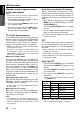
Cleaning
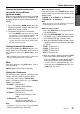
• To remove fingermarks and dust, use a soft cloth
and wipe in a straight line from the center of the
compact disc to the circumference.
• Do not use any solvents, such as commercially
available cleaners, anti-static spray, or thinner
to clean compact discs.
• After using special compact disc cleaner, let the
compact disc dry off well before playing it.