
Home Theater System User Manual



24 VRX938R
English
Owner’s manual
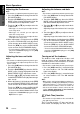
Manually tuning a regional station
in the same network
Note:
• This function can be used when a regional broad-
cast of the same network is received.
1. This function is valid when the AF function is
ON and the REG function is OFF.
2. Press any one of the [DIRECT] buttons to call
out a regional station.
3. Each time you press the same [DIRECT] but-
ton, the unit switches from a local station to
the other on the same network.
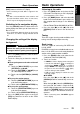
TA (Traffic Announcement)
In TA standby mode, when a traffic announcement
broadcast starts, the traffic announcement broad-
cast is received as top priority regardless of the
function mode so you can listen to it. Traffic pro-
gramme (TP) automatic tuning is also possible.
∗ RDS interrupt does not function during AM radio
reception or in TV mode.
∗ This function can only be used when “TP” is lit in
the display. When “TP” is lit, this means that the
RDS broadcast station being received has traffic
announcement programmes.
●Setting TA standby mode
If you press the [TA] button when only “TP” is lit in
the display, “TP” and “TA” light in the display and
the unit is set into TA standby mode until a traffic
announcement is broadcast. When a traffic an-
nouncement broadcast starts, “TRA INFO” ap-
pears in the display. If you press the [TA] button
while a traffic announcement broadcast is being
received, the traffic announcement broadcast re-
ception is cancelled and the unit goes into TA
standby mode.
●Cancelling TA standby mode
With “TP” and “TA” are lit in the display, press the
[TA] button. The “TA” in the display goes off and
TA standby mode is cancelled.
∗ If “TP” is not lit, pressing the [TA] button searches
for a TP station.
●Searching for a TP station
When “TP” is not lit, if you press the [TA] button,
“TA” lights in the display and the unit automati-
cally searches a TP station.
Note:
• If a TP station is not received, the unit continues
the search operation. Pressing the [TA] button again
makes the “TA” indicator go off and stops TP sta-
tion searching.
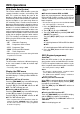
Auto store function for TP stations
You can automatically store up to 6 TP stations
into preset memory. If the number of TP that can
be received is less than 6, broadcast stations al-
ready stored in memory are left without being over-
written.
1. With “TA” lit in the display, touch the [SUB
MODE] key in the MENU display to select the
[AUTO STORE] key.
Touch the [AUTO STORE] key for 2 seconds
or more.
2. The TP stations with the good reception con-
dition are stored into preset memory.
∗ Even if you select FM1 or FM2, a TP station is stored
into memory for FM3.
PTY
This function enables you to listen to a broadcast
of the selected programme type when it starts,
even if the unit operates on a function mode other
than radio.
∗ RDS interrupt does not function during AM radio
reception or in TV mode.
∗ Some countries do not yet have PTY broadcast.
∗ In TA standby mode, a TP station has priority over a
PTY broadcast station.
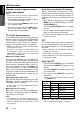
Selecting PTY
1. Touch the [PTY SELECT] key in the MENU
display and the [PRESET] key appears in the
display.
Touch the [PRESET] key and the unit goes into
PTY select mode.
2. Press any one of the [DIRECT] key to select a
desired PTY.
∗ Below are the factory default settings stored for
the [DIRECT] key.
3. The PTY select mode is cancelled automati-
cally 7 seconds after a PTY is selected.
RDS Operations
1
2
3
4
5
6
News
Information
Pop music
Sport
Classics
Easy listening music
Preset
number
PTY item
ContentsENGLISH
News
Info
Pop M
Sport
Classics
Easy M