
Home Theater System User Manual




VRX938R 29
English
Owner’s manual
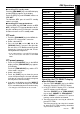
When the panel is open:
1. Touch the screen to show the menu screen
while the main screen is being shown.
2. Touch the [TITLE INDEX] key to show the title
display screen.
3. Touch the disc title/track title display you want
to show in the main screen.
Scrolling titles (MD)
Note:
• This function is enabled only when the panel is open.
When a title is longer than 10 characters, the same
operation can be performed on a CD.
Notes:
• When the disc title is within 10 characters, the title
is scrolled immediately.
• If the track title is shorter than 10 characters, the
track titles does not scroll.
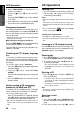
Selecting an MD
When the panel is closed:
Each of the [DIRECT] button corresponds to an
MD loaded into the MD changer.
Press the [DIRECT] button (1 to 6) and select the
desired MD.
When the panel is open:
Each of the [DIRECT] key corresponds to an MD
loaded into the MD changer.
Touch the [DISC SELECT] key in the display, the
[DIRECT] key (1 to 6) appears in the display.
Touch the [DIRECT] key (1 to 6) and select the
desired MD.
Selecting a CD
When the panel is closed:
Each of the [DIRECT] buttons corresponds to a
disc loaded into the magazine.
●Selecting a disc from 1 to 6
Press the corresponding [DIRECT] button (1 to 6)
to select the desired disc.
●Selecting a disc from 7 to 12 (only when a 12
disc CD changer is used.)
Press the corresponding [DIRECT] button (1 to 6)
for 1 second or more, then select the desired disc.
When the panel is open:
Each of the [DIRECT] keys corresponds to a disc
loaded into the magazine.
●Selecting a disc from 1 to 6
Touch the [DISC SELECT] key in the display, the
[DIRECT] key (1 to 6) appears in the display.
Touch the corresponding [DIRECT] key (1 to 6) to
select the desired disc.
●Selecting a disc from 7 to 12 (Only when a
12 disc CD changer is used.)
Touch the [DISC SELECT] key again, the [DI-
RECT] key (7 to 12) appears in the display.
Touch the corresponding [DIRECT] key (7 to 12)
to select the desired disc.
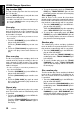
Selecting a track
●Track-up
1. Press the right side (d) of the [SEARCH] but-
ton to move ahead to the beginning of the next
track.
2. Each time you press the right side (d) of the
[SEARCH] button, the track advances ahead
to the beginning of the next track.
●Track-down
1. Press the left (a) side of the [SEARCH] but-
ton to move back to the beginning of the cur-
rent track.
2. Press the left side (a) of the [SEARCH] but-
ton twice to move to the beginning of the pre-
vious track.
Fast-forward/Fast-backward
●Fast-forward
Press and hold the right side (d) of the
[SEARCH] button for 1 second or longer.
●Fast-backward
Press and hold the left side (a) of the [SEARCH]
button for 1 second or longer.
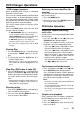
Top function (CD)
The top function plays from the first track (track
No. 1) of the disc.
●When playing a disc 1 to 6
Press the [DIRECT] button (1 to 6) with the same
number as the CD playing.
●When playing a disc 7 to 12 (only when a 12
disc CD changer is used.)
Press the [DIRECT] button (1 to 6) with the same
number as the CD playing for 1 second or longer.
CD/MD Changer Operations